
• Trista Harris
  • Retreats
  • Blog
  • Speaking
  • Books
  • DEI Resources
  • Consulting
  • Field Trips to the Future
  • Mastermind Retreats
  • Philanthropy Delegation

Trista Harris

  • Trista Harris
  • Retreats
  • Blog
  • Speaking
  • Books
  • DEI Resources
  • Consulting
  • Field Trips to the Future
  • Mastermind Retreats
  • Philanthropy Delegation
  • Menu

Get in control of your email

February 1, 2015


Email was initially designed to speed office communication but in reality it has just filled our in boxes with a never ending flood of slightly interesting or maybe useful information that we rarely have time for because we are constantly sorting the onslaught of emails that are coming our way.

If you are going to effectively lead your organization and be present during meetings, lunches, and family gatherings that have become the only place you can catch up on emails, you need to get in control. The first steps to freeing yourself from the tyranny of email:

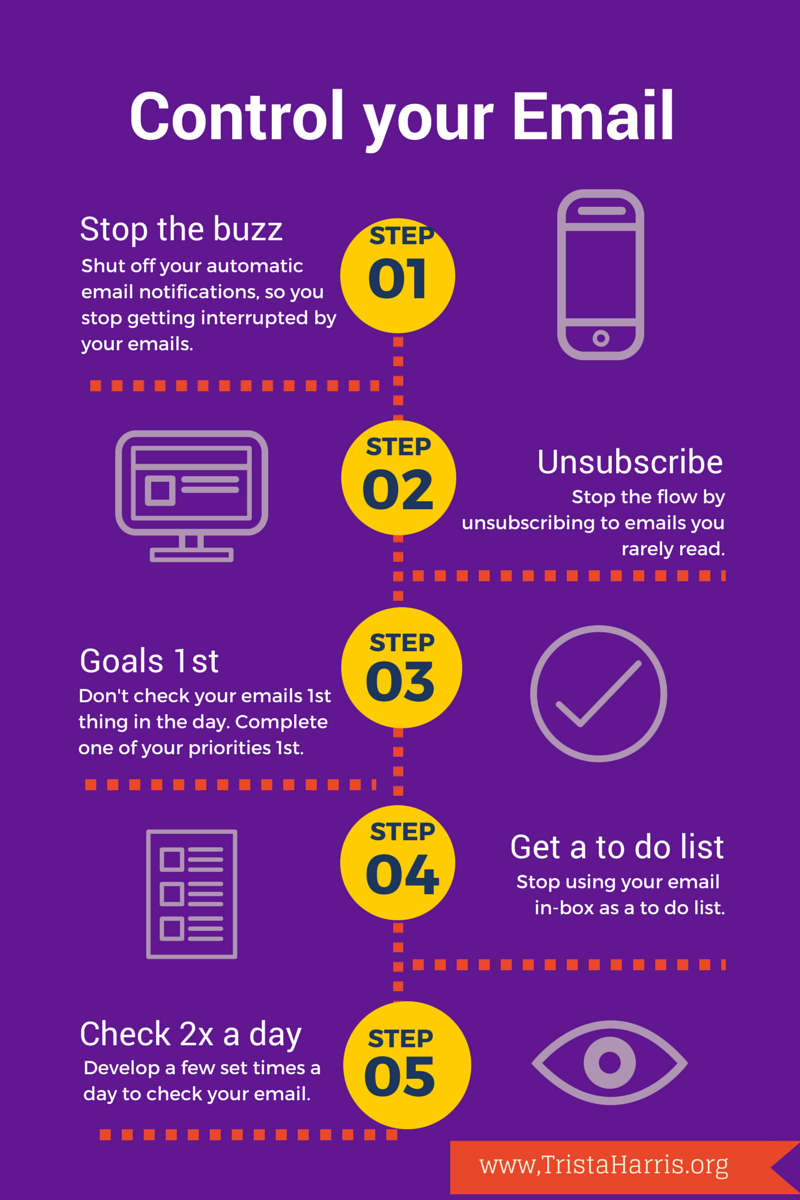
1)    Shut off your automatic email notifications for your computer and mobile devices. The email will be there when you consciously decide to check it. Having a notification on means that you are letting other people's priorities interrupt what you have decided to work on. Research says that it takes up to 23 minutes to get fully back into a task after an interruption. If you are constantly being interrupted by email during the day, you will never be productive.

2)    Unsubscribe to newsletters that you never or rarely read. It doesn't matter if they have the possibility of being helpful, get it out of your in box. unroll.me is a great website to get a handle on all of your email subscriptions.

3)    Don't check your email 1st thing in the morning. Do your most critical task before you jump into emails. You are more likely to get that task done and the sense of accomplishment will help you move forward all day.

4)    Don't use your in-box as a to do list. If you have to dos in your emails, put them in a folder called to do or move them to your task list. If you have items in your in box that you are keeping as a reminder that you are waiting for something, create a folder called waiting. A full in box is a distraction and it is a huge waste of time to look at the same emails over and over.

5)    Develop a few set times to check your email each day. Very, very few things are really urgent. Staring with checking email every 2 hours and eventually moving to just twice a day will increase the amount of real work you can get done. Some suggest sending out an auto-responder http://fourhourworkweek.com/category/e-mail-detox/page/3/  letting people know you are checking email rarely, I think that is totally unnecessary and fills someone else's email with junk. If you have colleagues or donors or clients that expect you to respond immediately, let them know the best way to reach you with those requests is by phone.

For more tips on increasing your productivity by getting in control of your email, developing email templates, and completely delegating your email to an administrative assistant check out my guide "Email Bootcamp" here.


← Preparing for Civic DisastersDon't Die at Your Desk →
Tag Cloud Block
This is an example. Double-click here and select a page to create a cloud of its tags or categories. Learn more
  • Art
  • Day Trip
  • Love
  • Pic of the Day
  • Portrait
  • Things to Do
  • Leadership
  • Professional Development
  • Philanthropy
  • Nonprofit Rockstar
  • Nonprofits
  • foundations
  • Future
  • social justice
  • Program Officer
  • February 2025 (1)
  • January 2024 (1)
  • February 2023 (1)
  • July 2022 (1)
  • January 2022 (1)
  • November 2021 (1)
  • May 2021 (1)
  • December 2020 (1)
  • June 2020 (4)
  • May 2020 (2)
  • April 2020 (2)
  • March 2020 (2)
  • December 2019 (2)
  • November 2019 (2)
  • October 2019 (1)
  • September 2019 (1)
  • June 2019 (1)
  • May 2019 (1)
  • December 2018 (1)
  • December 2017 (1)
  • October 2017 (1)
  • April 2017 (1)
  • December 2016 (1)
  • November 2016 (1)
  • August 2016 (1)
  • May 2016 (1)
  • February 2016 (2)
  • January 2016 (1)
  • December 2015 (1)
  • November 2015 (1)
  • October 2015 (1)
  • April 2015 (1)
  • February 2015 (1)
  • December 2014 (1)
  • September 2014 (1)
  • July 2014 (1)
  • June 2014 (2)
  • April 2014 (20)
  • March 2014 (1)
  • February 2014 (2)
  • October 2013 (1)
  • September 2013 (2)
  • August 2013 (1)
  • June 2013 (1)
  • May 2013 (1)
  • March 2013 (3)
  • February 2013 (1)
  • January 2013 (2)
  • December 2012 (1)
  • November 2012 (3)
  • October 2012 (4)
  • August 2012 (2)
  • July 2012 (1)
  • June 2012 (1)
  • April 2012 (2)
  • March 2012 (2)
  • January 2012 (4)
  • December 2011 (2)
  • November 2011 (2)
  • October 2011 (3)
  • September 2011 (3)
  • August 2011 (1)
  • July 2011 (1)
  • June 2011 (1)
  • May 2011 (5)
  • April 2011 (8)
  • March 2011 (3)
  • February 2011 (2)
  • January 2011 (5)
  • December 2010 (3)
  • November 2010 (5)
  • October 2010 (4)
  • September 2010 (3)
  • August 2010 (4)
  • July 2010 (1)
  • June 2010 (4)
  • May 2010 (3)
  • April 2010 (10)
  • March 2010 (3)
  • February 2010 (4)
  • January 2010 (4)
  • December 2009 (5)
  • November 2009 (3)
  • October 2009 (4)
  • September 2009 (5)
  • August 2009 (5)
  • July 2009 (6)
  • June 2009 (8)
  • May 2009 (10)
  • April 2009 (9)
  • March 2009 (10)
  • February 2009 (8)
  • January 2009 (11)
  • December 2008 (7)
  • November 2008 (14)
  • October 2008 (9)
  • September 2008 (10)
  • August 2008 (7)
  • July 2008 (9)
  • June 2008 (9)
  • May 2008 (17)
  • April 2008 (8)
  • March 2008 (8)
  • February 2008 (8)
  • January 2008 (12)
  • December 2007 (6)
  • November 2007 (9)
  • October 2007 (6)
  • September 2007 (10)
  • August 2007 (9)
  • July 2007 (5)
  • June 2007 (6)
  • May 2007 (8)
  • April 2007 (5)

January 2025